


10 Tips to Get the Most Out of Your Computer Infrastructure
No matter in what times you are living in, there is always the need for improving efficiency, speed, and ease of use when it comes to PC performance. The technology is advancing and a slow or dull PC can hinder your productivity. Therefore, it is essential to keep your computer in tip-top condition.
A computer can get slow gradually over time but fortunately, there are some do-it-yourself tips to get the most out of your PC. An efficient working computer doesn’t only improve our business or personal work productivity but also saves valuable time and effort.
Most people prefer to buy a pre-built PC. Whereas, others prefer to construct their customized PC using separate components as per their requirements. It doesn’t matter whatever the case because the tips that we are about to discuss in this article apply to both. Most people prefer to buy refurbished motherboards, processors, or other accessories to save costs but the real challenge is to maintain these components over time.
A PC can get slower by each day and even develop some issues. Therefore, here are some tips to get the most out of your computer based on some common issues.
1. Clean Up Unnecessary Files Once a While:
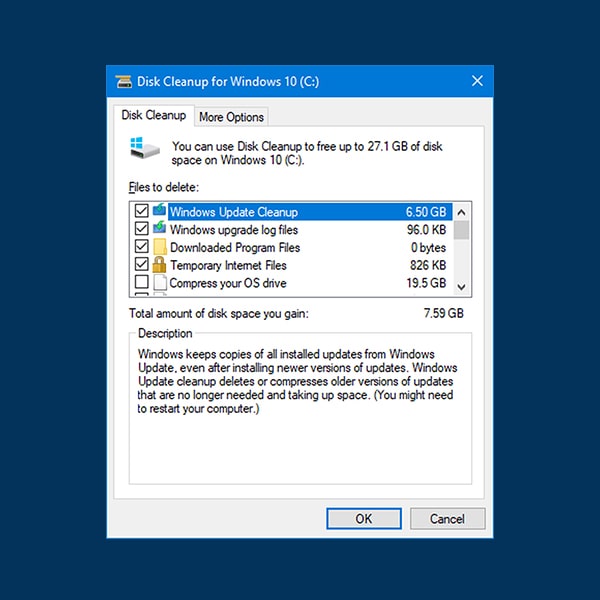
The best way to keep your PC up and running without getting slow is by removing unnecessary files and programs from it. You can either do this activity every week or monthly basis. The most common cause for a slow PC is the excess data stored in it and most of the time majority of that data is useless.
It would be best to make a habit of creating folders with specific labels for important information. This way you can avoid deleting your necessary files in the process of clearing junk files.
2. Clear Cookies and Temporary Files:
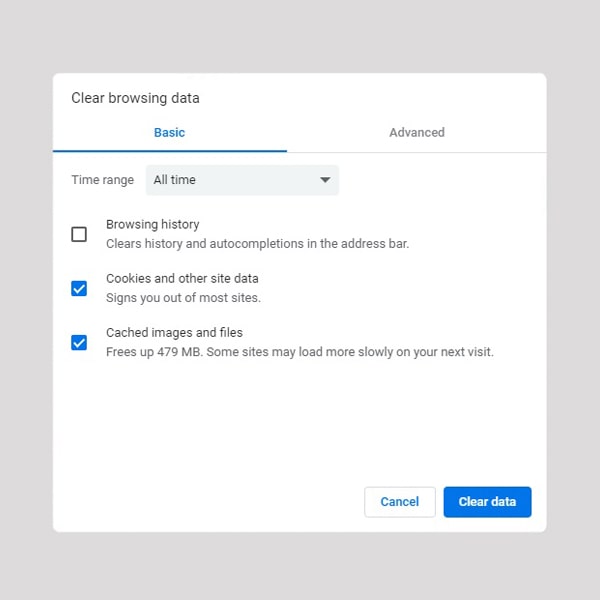
Whenever you browse or surf the internet and enter websites, cookies and temporary files are created to speed up loading websites a little bit. Even though these files don’t consume too much memory but after some time, it can add up to be quite much. Clearing these cookies and temporary files, especially for websites you don’t visit often is a great way to keep your system running at optimal speed.
3. Enable Anti-Malware Software:
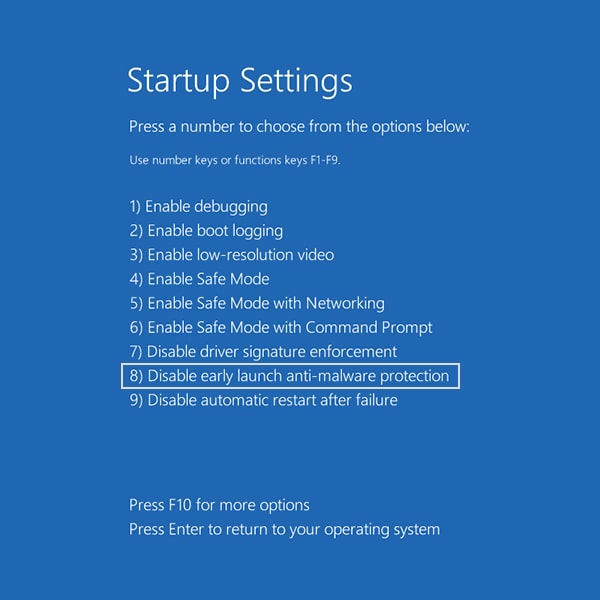
Spyware, greyware, malware, Trojans, or any other tracking software can often exist on your PC without you knowing it. They are responsible for sending out your search history information to remote capture devices. The motives are sometimes harmless, as it can be to tailor personalized ads or may be as serious as searching for passwords to get access to your personal information.
No matter what the case, it is essential to enable anti-malware software to avoid such threats, as not only does it slow down your PC by working in the background but also leaks your search history.
4. Use Antivirus Software:
Viruses are lethal to your PC, as they can corrupt system files along with attacking the operating system. Not only do these viruses disrupt your productivity but they can result in damaging your PC operating system. Therefore, an efficient anti-virus can prevent such threats. Make sure to frequently scan your computer to locate and fix such viruses.
5. Uninstall Unnecessary Apps and Programs:
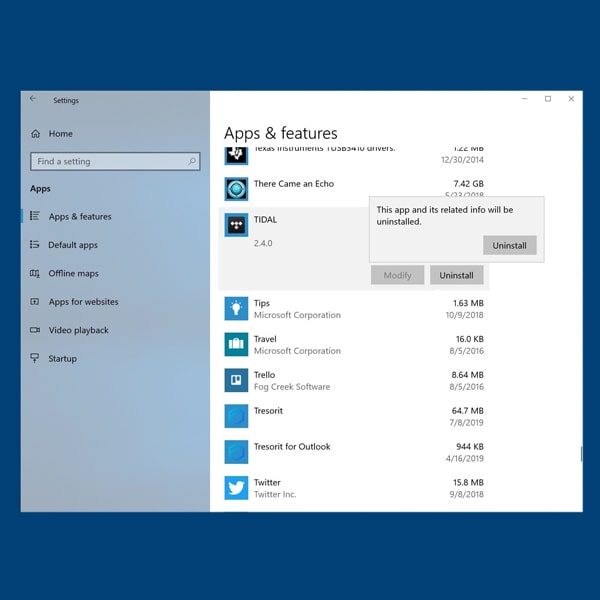
There is a wide variety of apps and programs available and although the quick click and install would be tempting, it would be occupying space. Therefore, if you have apps and programs that you don’t use or are unnecessary. It’s best to remove them. You can also end up installing apps that you don’t need along with the ones you do, so make sure to uninstall programs and apps that are useless.
6. Upgrade Software and Hardware:
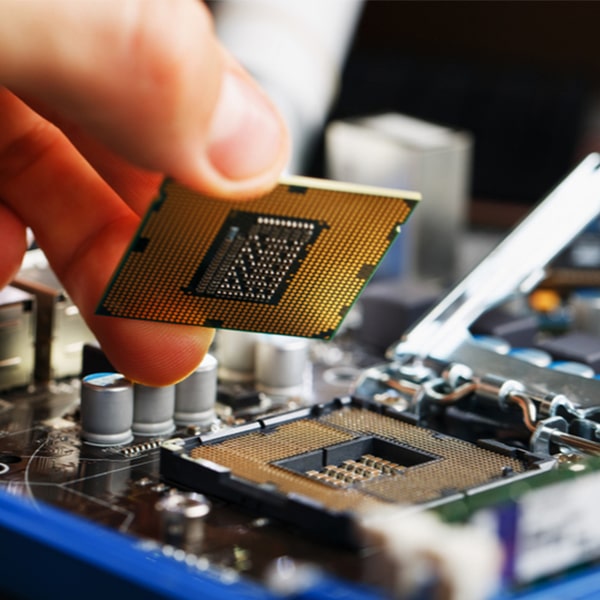
Software upgrades are necessary for your PC, as it boosts efficiency and overall performance. The same goes for hardware, as upgrading storage and memory results in smoother functioning, and upgraded motherboards or processors increase the speed of your PC significantly.
If you are looking for hardware upgrades for low prices, refurbished motherboards, processors, hard drives, etc. would be a better option to consider. Making software upgrades also provides new features and better ease of access.
7. Backup Data:
It’s important to back up your files, especially when cleaning up to make sure that your important files do not get deleted in the mix. You can also free up significant space by deleting the files from your drive once you back them up. Backing up data in your cloud, external drives, or even a USB stick can help you secure it.

8. Clean the Dust from Your CPU:
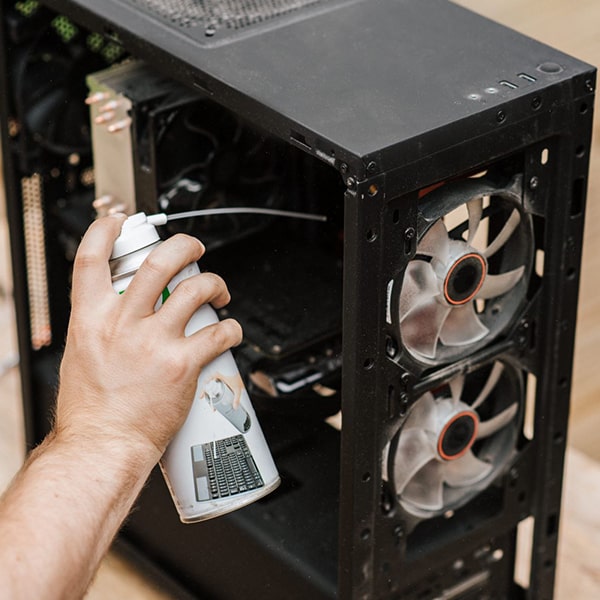
Dust can settle inside your CPU and cause disturbance in the fan that often results in overheating and slow performance. It is recommended that you open the lid of your CPU and use a blower to gently clear out the dust.
However, make sure that you don’t use too much air pressure, as you can end up breaking sensitive wiring or damaging fragile components. Doing so once every 3 to 6 months will help you keep your PC in tip-top working condition.
9. Minimize Running Background Apps and Utilities:
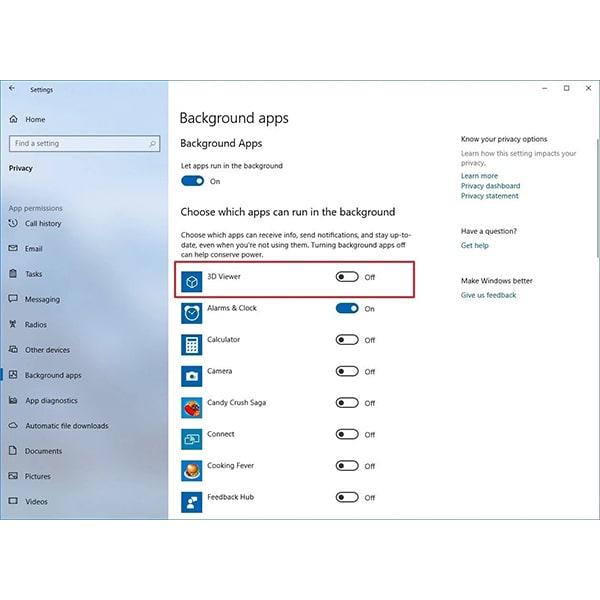
Apps and utilities running in the background can cause your computer to slow down and be the main cause of poor PC performance. The best way to get the most out of your system is by shutting down all such background apps that you don’t need or are unnecessary.

10. Get Help from a Reputable Tech Support Company:
If you don’t know what you are doing, it’s possible that you might damage something in the process. Such as when cleaning your PC from dust, it’s most likely to damage a delicate component.
Even if you don’t damage anything, you might spend most of your productive hours figuring out what to do. Therefore, it would be best to have an experienced tech support company on your side to guide you step by step through the process. It ensures that your business continuity remains in check without you having to lose productive hours.
Closing Thoughts:
One of the most irritating and torturous scenarios that you can encounter during working is a slow PC. It not only hinders your productivity but also is the cause of frustration. This is why the above-mentioned tips will surely help you to get the most out of your computer.
It’s a smart choice to buy refurbished motherboards, processors, storage devices, and more to save some money but without proper care and maintenance, you might be putting all that to waste. Nevertheless, if you are looking for a place to buy used and refurbished computer components and accessories Sibbex is the best place for you.