How to Choose the Right Hard Drive for Your Computer?
How to Choose the Right Hard Drive for Your Computer?
Installing essential programs, running heavy applications, and saving all your digital media require enough hard drive storage to be present in your PCs. In your daily workday, personal usage, performing creative tasks, and extreme gaming experience, you surely need to have an hard drive in your workstations. These internal hard drives are the best option to expand the storage capacity of your computers.
There’s no way you can store myriad of your digital content if you’re running out of storage. This problem doesn’t occur if you’ve got the new PC or gadget, but eventually, you’ll need the additional mega or gigabytes in order to expand your computer’s storage capacity. You can buy a new or preowned hard drive depending upon your budget. Check out our collection of refurbished hard drives, and find the best deals.
Shopping for the right hard drive can be mind-boggling, as there is a plethora of options out there. In addition to it, you’ve to check whether offered specifications are meeting your requirements or not. To help you in this matter, we’ve answered the toughest questions in this blog that will clarify what factors you need to review for buying the right hard drive. Keep reading to know about the hard drive types, specs, and other important information.
Solid State Drive or Hard Drive
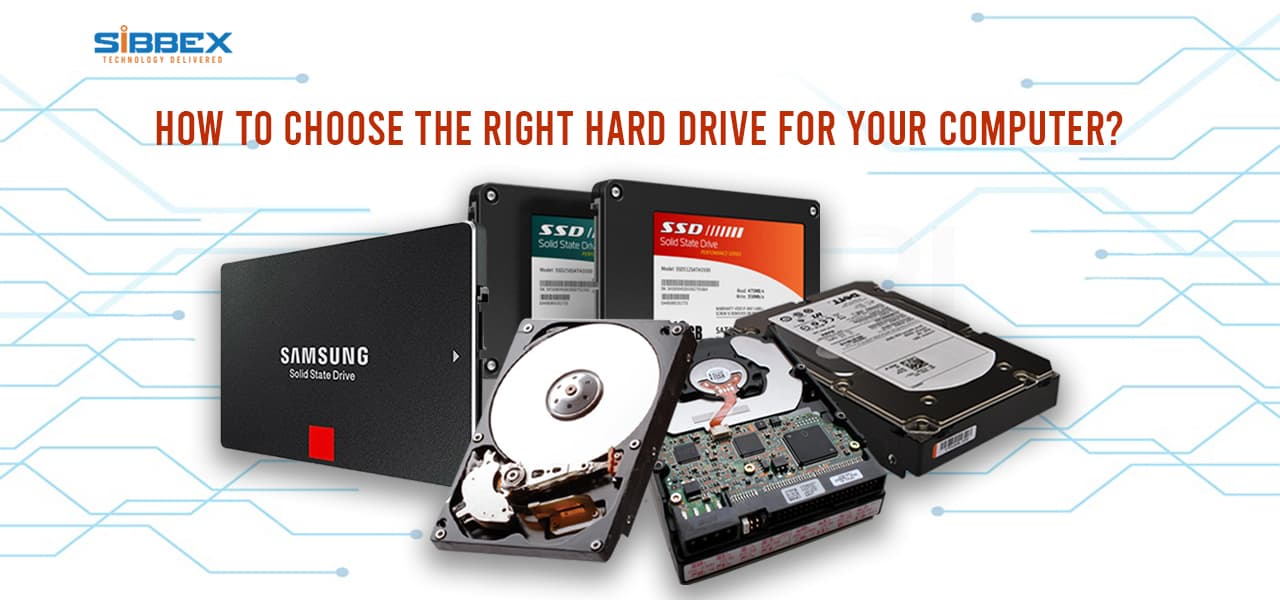
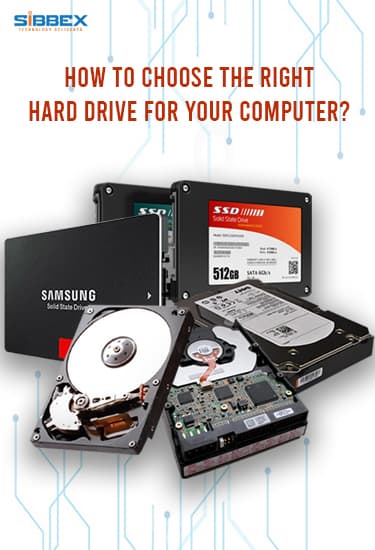
HDDs are the ones with the rotating platters and components for overwriting all of your essential data. Labeled as the traditional storage method, they’ve come a long way since their launch in 1956 by IBM. Despite offering lesser features than other storage devices, they’re considered the reliable component of your PC and come in the lower price range – you don’t have to break a bank or anything to buy it. In case if you’re limited by the budget and extra processing time doesn’t bother, HDDs are yours to pick straight away.
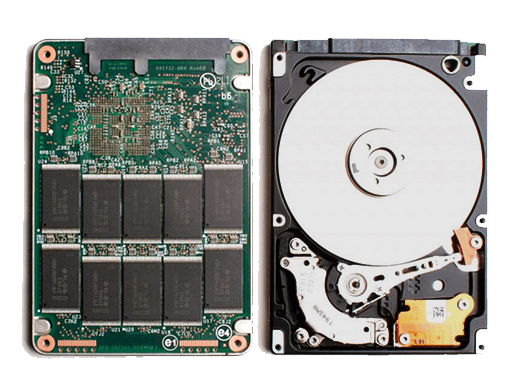
Built upon flash memory technology, SSDs deliver high processing speeds and offer higher storage options. They outperform other storage devices effortlessly in the market, along with writing and reading data at a higher speed without using too much power. They’re designed to run smoothly for a variety of gadgets and meeting all your storage needs aptly. It’s just that they’re expensive to afford, the higher the storage capacity – the greater the price. If you prioritize the higher processing speeds, maximum storage capacity, and the price is not an issue for you, then you must go for an SSD.
Capacity of Hard Drive
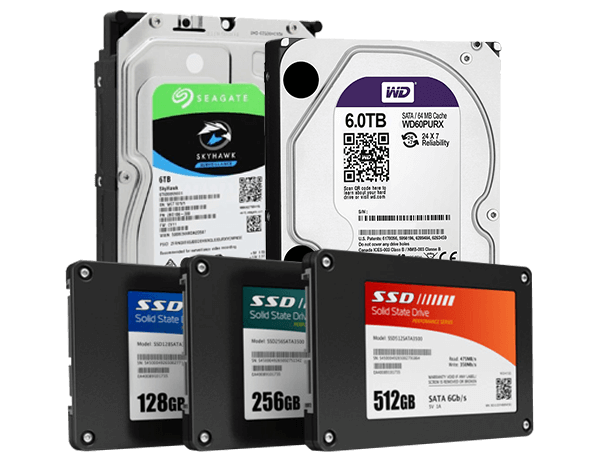
Storage capacity indicates that what amount of space your hard disk drive provides for saving your data. Its given value tells how much of the total data your system can contain. Speaking of which, you should pick the storage capacity that meets your requirements and the budget. The suitable and mainstream option is 500 GB of storage space, in case if you’re not restricted by the budget, going for 1 or more Terabytes is highly recommended. It should be noted that the maximum capacity available in the market right now is around 16 TB, and every year storage capacity increases with the improved technology.
Form Factor of Hard Drive
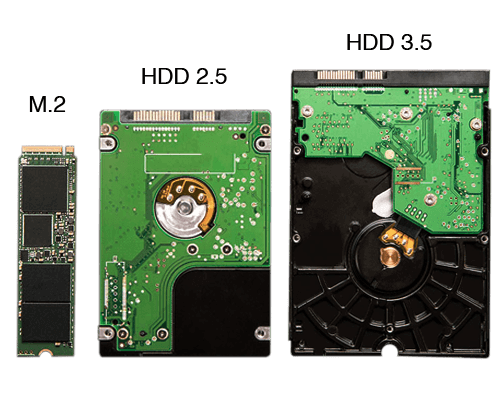
The form factor describes the total size of the hard drive. Note that in most cases, 3.5 inch HDDs will be suitable for your severs, desktop, servers and personal workstations. If you see a hard drive that is 1 or 2.5 inches, they are built for laptops and other smaller tech gadgets.
On the contrary, SSDs are conventionally built to be smaller as compared to HDDs in the market. There are mostly 2.5 inches and smaller SSDs available in the market. If you’re purchasing an SSD for your computer, note that you’ll need an additional adapter for adjusting the drive into your CPU’s 3.5-inch connector.
RPM of Hard Drive
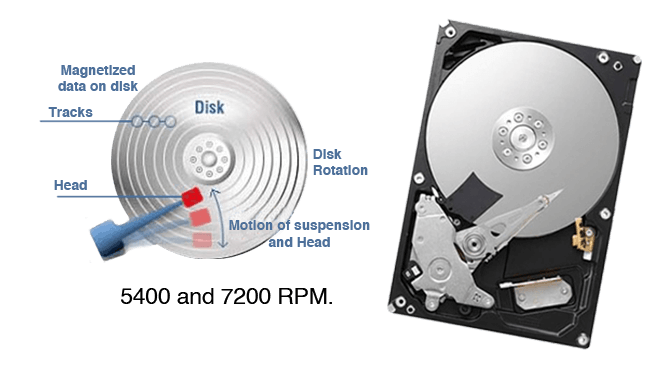
You only need to look into RPM value if you’re buying an HDD. Revolutions per minute refer to the speed of the rotating platters, like how fast they spin. If you’re looking for HDD with a high processing speed, you must pick up a hard drive with 7200 RPM. This factor becomes irrelevant if you’re buying an SSD for your computer.
Interface Connection
There are specific interfaces that connect the hard drives to your computer. Note that the choice of the connection interface depends upon the architecture of your PC. and this impacts the data transmission speed and how well your hard drive performs overall. The common interfaces conveniently available in the market are; ATA, Serial ATA, SAS, Fiber Channel, and SCSI.
Speaking of ATA – Advanced Technology Attachment – it is the standard interface and also referred to as the PATA, IDE, or EIDE. Another one is the Serial ATA (SATA) that functions by utilizing fast signaling technology to store all your data. Both are the standard choices for personal computers, but SATA has a higher price.
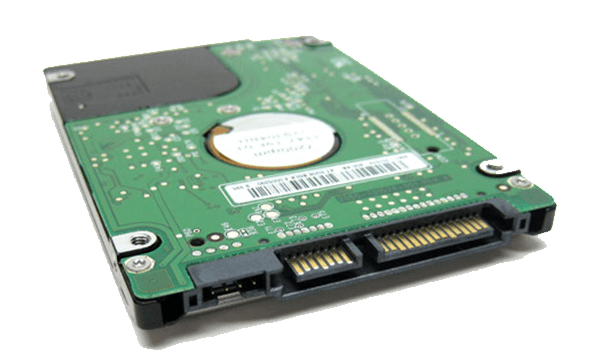
Wondering whether you can use both SSD and HDD on your computer? Yes, you can. If you’re adding multiple hard drives to your computer, we totally recommend you combine both of them and get excellent outcomes. You can achieve the large capacity of the HDD and faster processing speeds of the SSD with low power consumption. For example, you can get 1TB or more HDD for storing your massive digital content, and pick the low storage SSD for your faster computer boot up, multitasking, and smooth gaming experience.
Hope the above information will greatly help you in buying a hard drive for your PC. It’s our job to keep you well-informed about the PC components, tech gadgets, and accessories – Stay updated with Sibbex!